
VirtualXposed
Tools
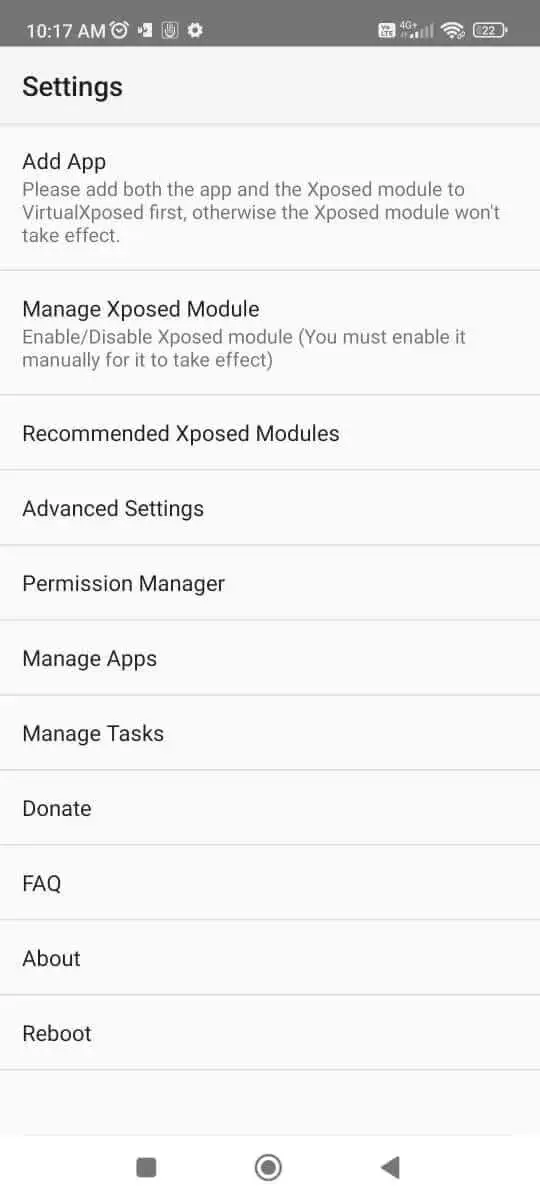

VirtualXposed is an Android utility that allows you to load and use Xposed modules on devices that are not rooted. It creates a virtual environment where modules can run without modifying the system partition.
The app is aimed at users who want the flexibility of Xposed tweaks but prefer to keep their device’s warranty intact or avoid the complexities of rooting.
Version 0.22.0, released on 22 June 2023, is a lightweight package of 12.99 MB and works on a wide range of Android versions.
Quick Information
| App/Game Name | VirtualXposed |
| Latest Version | 0.22.0 |
| Developer | Not listed |
| Category | Apps / Tools |
| App Size | 12.99 MB |
| Package Name | io.va.exposed64 |
| Last Updated | 22 June 2023 |
What Is VirtualXposed?
VirtualXposed acts as a sandbox that mimics the Xposed framework. Inside this sandbox you can install Xposed modules, enable or disable them, and apply their changes to apps running within the virtual space. Because the modifications stay inside the sandbox, the rest of the system remains untouched and no root permissions are required.
Key capabilities include:
- Loading most Xposed modules without root.
- Running multiple virtualized apps simultaneously, each with its own set of modules.
- Easy toggling of modules per virtual app.
The tool is primarily useful for power users, developers testing Xposed tweaks, or anyone who wants to experiment with modules safely.
Compatibility
| Android Version | Not Verified |
| Architecture (ARM64 / 32-bit) | Not Verified |
| Internet Connection | ✓ Verified — May be required for ads, updates, or login |
| Storage Needed | Not Verified |
| OBB/Data Files | Not Verified |
| Root Required | ✓ Verified — This app needs root access |
How to Install
- Enable installation from unknown sources in your device settings (Settings → Security → Allow unknown apps).
- Download the VirtualXposed APK file from a trusted source.
- Open the downloaded file to start the installer and follow the on‑screen prompts.
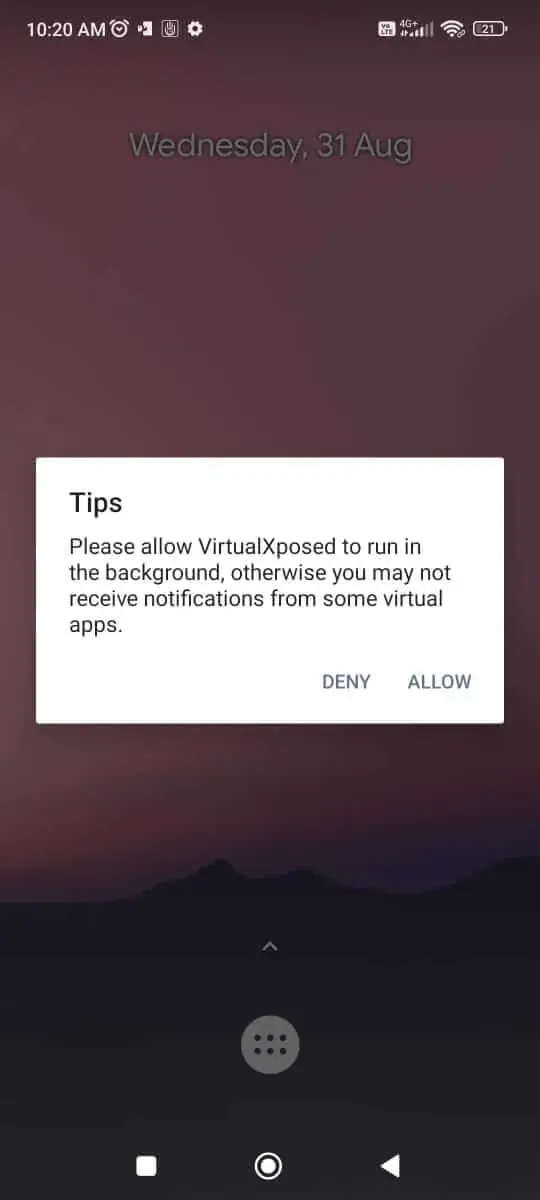
- After installation, launch VirtualXposed and grant any runtime permissions it requests.
- Inside the app, use the built‑in module manager to add Xposed modules (APK files) you wish to use.
Troubleshooting
- App not installed: Ensure the APK is not corrupted and that your device allows installations from unknown sources.
- Crashes on launch: Verify that your Android version meets the minimum requirement (Android 5.0+). Clearing app data or reinstalling often resolves the issue.
- Modules do not work: Not all Xposed modules are compatible with the virtual environment. Check the module’s documentation for virtual‑Xposed support.
- Login or online features fail: Some modules rely on system‑level hooks that are unavailable without root; they may not function fully.
Safety & Security
VirtualXposed is a modified APK that runs code outside the standard Android framework. While it does not require root, users should still download it from reputable sources, review the permissions it requests, and avoid entering sensitive personal data into modules that are not verified. Keep in mind that future Android updates may affect compatibility, and the app may need to be re‑installed after a major OS upgrade.
How VirtualXposed Compares
| Feature | VirtualXposed | Xposed Installer | Magisk |
|---|---|---|---|
| Price / Free model | Free | Free (open‑source) | Free core, optional paid modules |
| Platform availability | Android 5.0 and above (no root required) | Android 4.0+ (requires root) | Android 5.0+ (requires root or systemless boot) |
| Standout feature | Runs Xposed modules in a virtual sandbox without root | Full Xposed framework with system‑wide hooks | Systemless root with extensive module ecosystem |
| Best for | Users who want Xposed tweaks but cannot or do not want to root | Advanced users comfortable with rooting | Users seeking root access with minimal system changes |
Alternatives
- Xposed Installer – The original method for loading Xposed modules, requiring a rooted device.
- Magisk – Provides systemless root and a wide range of modules; popular for its hide feature.
- Shizuku – Allows apps to use system APIs without root by leveraging ADB or a privileged service.
- LSPatch – A newer framework that supports Xposed modules on both rooted and non‑rooted devices, similar in concept to VirtualXposed.
Final Verdict
VirtualXposed offers a practical way to experiment with Xposed modules on non‑rooted phones. It’s lightweight, free, and avoids the warranty risks associated with rooting. However, compatibility is not guaranteed for every module, and some advanced tweaks may still need root. Users should verify the source of the APK, monitor permissions, and be prepared for occasional module incompatibilities after Android updates.
Frequently Asked Questions
It is generally safe, but you should download it from a reputable source and review the permissions it asks for before installing.
No, VirtualXposed creates a virtual environment that lets Xposed modules work without root.
VirtualXposed works on Android 5.0 (Lollipop) and newer versions.
Inside the app, use the built‑in module manager to browse for and install APK files of the modules you want.
It can replace them for users who do not want to root, but some modules that rely on deep system hooks may still require root.
The error often means the APK is corrupted, the file is incomplete, or your device blocks installations from unknown sources.
Major OS updates can affect compatibility; you may need to reinstall or wait for an updated version of VirtualXposed.
Paid modules can be installed, but their functionality depends on whether they are compatible with the virtual environment.